



Guest User
Login
#0 Rank0 Coins
Dashboard
 Notification
 Coins
CoinsGames Categories
 New Games
Connect with us



 sports
 action
 cricket
 arcade
 racing
 adventure
 girls
girls boys
boys hot
hot moresportsactioncricketarcaderacingadventuregirlsboyshotmore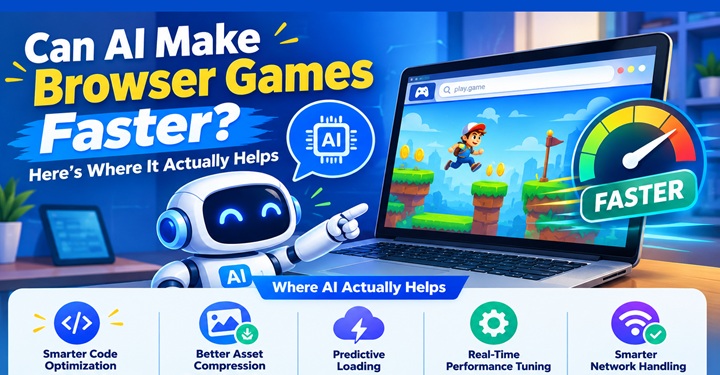
Browser games have come a long way from the days when a game needed only a few buttons and a basic animation to keep someone busy. Today, even a small online game may include multiplayer features, physics, detailed graphics, player progress and a lot happening behind the scenes.
That creates one obvious question: can AI make browser games faster?
The short answer is yes, but probably not in the way many people imagine.
AI does not automatically make a browser game run faster just because AI is added to it. Its main benefit is helping developers analyze code, assets, loading behavior and performance data so they can identify and fix bottlenecks.
A browser game can become sluggish for many reasons. Maybe the JavaScript is doing too much work, the game is loading unnecessarily large images, or hundreds of objects are being processed when only a few are visible.
Finding these problems manually can take hours.
AI-assisted development tools can help developers examine code and identify areas worth improving.
For example, AI can help with:
Detecting inefficient loops and repeated calculations
Suggesting simpler code
Finding unnecessary network requests
Identifying large or unused assets
Reviewing JavaScript performance
Highlighting possible memory problems
The developer still needs to test the suggestion. That part is important. A change that looks efficient on paper can sometimes create another problem elsewhere.
AI can suggest a likely optimization, but profiling and benchmarking are still needed to determine whether the change actually improves performance.
So think of AI as another pair of eyes rather than an automatic performance button.
For casual browser gaming, the first few seconds matter.
If a player clicks a game and spends too long staring at a loading screen, there is a good chance they will leave. This is especially true on mobile connections.
AI can assist developers in deciding which resources should load first and which ones can wait.
A game might load:
The basic interface
Essential game code
The first level
Additional images, sounds and content afterward
This can involve techniques such as lazy loading, code splitting and asynchronous loading.
AI can help developers analyze asset sizes and loading patterns so that unnecessary resources are not pushed to the player immediately.
That does not replace normal optimization techniques, but it can make the development process quicker.
One oversized image may not seem like a big deal. Multiply that by dozens of images, sound files, animations and other resources, and the game's download size can grow quickly.
AI tools can assist with asset optimization by helping developers identify:
Images that can be compressed
Duplicate assets
Files that are rarely used
Content that could be loaded only when needed
Audio that can be compressed or delivered in a more efficient format without an unacceptable loss of quality.
Images that can be compressed
Images with unnecessarily high dimensions
Duplicate assets
Files that are rarely used
Audio that can be compressed
Content that can be loaded only when needed
For a small puzzle or arcade game, these details can make a noticeable difference.
The goal is not simply to make everything smaller. A developer still has to decide where quality matters. Nobody wants a game that loads quickly but looks like a blurry mess.
Testing is one of those parts of game development that players rarely think about.
Developers, however, know how quickly a tiny bug can appear. A character may become stuck against a wall. A button might stop responding. A game could behave differently on a phone and a laptop.
AI can help generate test cases and identify unusual situations that developers may want to check.
It can also assist with automated testing of certain game systems.
AI can help generate test cases and identify scenarios worth testing across browsers and devices.
AI does not eliminate the need for real-world testing, though. A developer still needs to see how the game behaves on actual devices.
Browser-game performance can involve several different bottlenecks. A game may be limited by JavaScript execution, rendering, memory usage, network activity or asset loading.
AI can help developers interpret profiling information and identify patterns worth investigating. A developer might use browser performance tools to find long tasks, excessive function calls, memory growth or rendering bottlenecks, then use AI to help interpret the results or suggest possible changes.
The important step is still measurement. If a change does not improve the relevant performance metric, it should not be kept simply because the AI recommended it.
Browser games can rely on JavaScript, WebAssembly and browser graphics technologies such as WebGL or WebGPU, depending on how they are built.
If the game is constantly calculating unnecessary information, performance can suffer.
AI coding assistants can suggest ways to reorganize code or reduce repeated work. Developers can then benchmark the changes and keep what genuinely improves performance.
This is where the human side of development still matters.
A developer knows what a particular game is supposed to do. AI can suggest ten possible changes, but someone still has to decide whether those changes make sense.
The best results usually come from that combination rather than blindly accepting generated code.
Multiplayer browser games have another performance challenge: network communication. Too much data, inefficient synchronization or poorly timed updates can increase bandwidth usage and contribute to responsiveness problems.
If too much data is sent back and forth, the game can feel delayed.
AI can help developers analyze network behaviour and find patterns such as:
Unnecessary data being transmitted
Excessive server requests
Poorly timed updates
Repeated information
Network bottlenecks during busy sessions
Developers can then reduce the amount of information being transferred or change how frequently certain updates happen.
For a fast-paced browser game, even small improvements can make controls feel more responsive.
This is where things become interesting.
Some browser applications can run machine-learning models locally using technologies such as WebAssembly and WebGPU, depending on the model, framework and browser capabilities.
That can be useful for features such as:
Smarter computer-controlled opponents
Drawing recognition
Personalized challenges
Adaptive difficulty
Simple voice or image processing
But running AI locally is not automatically faster.
Local AI can reduce the need to send certain inputs or data to a server, but the model itself still consumes CPU, GPU, memory and sometimes battery.
A large model can actually make a game heavier and consume more memory or battery. Developers have to choose the right model and decide which tasks should happen on the player's device and which should happen on a server.
In other words, more AI does not necessarily mean more speed.
The biggest benefit may happen before the player ever opens the game.
AI can reduce the amount of time developers spend on repetitive development work. That gives them more time to focus on the parts players actually notice: controls, level design, game balance and overall feel.
A useful way to look at it is:
Development Area | How AI can help |
Images | Optimize and organize assets |
Code | Find inefficiencies and suggest improvements |
Performance | Identify potential bottlenecks |
Testing | Generate test cases and spot possible bugs |
Content | Speed up creation of repetitive material |
Multiplayer | Analyze network behaviour |
The important word here is help.
AI is becoming another tool in the developer's toolbox, not a replacement for proper game development.
There is no shortcut around basic browser performance.
A developer still needs to consider the player's device, browser, internet connection and available memory. An older smartphone will not suddenly behave like a gaming PC because an AI tool optimized the code.
There are also risks in relying too heavily on generated code. An AI suggestion can be technically valid but unsuitable for the game's architecture.
That is why testing remains essential.
A fast game is not just one with optimized code. It is a game that feels responsive from the player's perspective.
Yes—but indirectly in many cases.
AI can help developers locate performance problems sooner, optimize resources, improve testing, streamline code and make multiplayer systems more efficient. It can also support new browser-based features without requiring every calculation to happen on a remote server.
But AI itself is not a magic speed booster.
The strongest browser games will still depend on good development practices, sensible asset sizes, efficient programming and careful testing across real devices.
For players, that is probably the best outcome. They do not need to know whether AI helped optimize a particular line of code. They simply want the game to open quickly, respond when they tap or click, and keep running smoothly.
And if AI helps developers spend less time fighting technical problems and more time making games enjoyable, that is a pretty useful upgrade.
It can help developers identify oversized assets, unnecessary code and inefficient loading processes. The final improvement depends on how those recommendations are implemented.
Not necessarily. AI can help identify and fix performance bottlenecks, but the actual FPS improvement depends on the game's code, device and browser.
No. AI can assist with coding, testing and optimisation, but human developers still need to make design decisions, verify changes and test the finished game across real devices.
Yes. AI-assisted optimisation can help developers create lighter assets, adjust effects and improve performance for devices with limited processing power.
Atmegame.com is a completely new platform for the online games lovers.The best part is that all games available on our website are free and can be enjoyable on multiple devices, including desktop, mobile phones, tablets, and iPhones or iPads.
