



Guest User
Login
#0 Rank0 Coins
Dashboard
 Notification
 Coins
Games Categories
 New Games
Connect with us



 sports
 action
 cricket
 arcade
 racing
 adventure
 girls
 boys
 hot
 moresportsactioncricketarcaderacingadventuregirlsboyshotmore
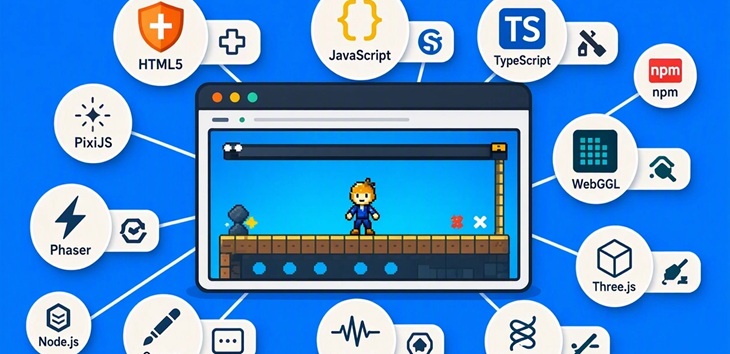
HTML5 games may look simple from the outside, but quite a few technologies can work together behind a browser game. A player sees the game screen, controls and sound. Underneath, developers are using programming languages, graphics systems, browser APIs and storage tools to keep everything running.
The main advantage is that these technologies work inside modern browsers. That means a game can reach computers, tablets and phones without being built as a separate application for every device. Modern web technology can support everything from small arcade games to 3D titles.
HTML provides the basic structure of a browser game. It can hold the game area, menus, buttons, score displays and other elements around the gameplay.
CSS handles how those elements look and fit on the screen. For example, a developer can use it to arrange a start button, position a score counter or make the interface work better on smaller screens.
The Canvas element is also part of HTML and is commonly used when a game needs a dedicated area for drawing 2D graphics.
JavaScript is the main programming language behind many HTML5 games.
It handles the parts players actually interact with. When a character moves, an enemy appears, a score changes or a level ends, JavaScript can control what happens.
It can be used for:
Player movement
Game rules
Collision detection
Scoring
Timers
Menus
Animations
Keyboard and touch controls
Modern browser engines have made JavaScript considerably faster, which has helped web games move well beyond the basic games associated with the early days of browser gaming.
Canvas is a popular choice for games that rely mainly on 2D graphics.
Instead of treating every moving object as a normal webpage element, the game can draw characters, backgrounds and objects onto the canvas and update them as the action changes.
This makes it suitable for many familiar browser game types:
Puzzle games
Arcade games
Platformers
Card games
Board games
Simple sports games
For smaller games, Canvas can provide a straightforward way to handle the visual side without adding unnecessary complexity.
When a game needs more advanced graphics, WebGL becomes important.
WebGL allows web content to use hardware-accelerated graphics, including 3D graphics. It can therefore support more detailed environments, effects and animations than a basic 2D setup.
This is useful for browser games that need:
3D environments
Lighting effects
Detailed models
More complex animations
Faster rendering of graphics
Developers can work with WebGL directly or use libraries and game frameworks that simplify some of the technical work.
A game without sound can feel flat, even when the gameplay is good.
The Web Audio API gives developers more control over music and sound effects. It can be used to manage audio playback, effects and other real-time audio tasks.
For a simple game, standard HTML audio may be enough. Games with more detailed sound requirements can use Web Audio features for greater control.
Browser games are played on many different devices, so developers cannot always rely on a keyboard and mouse.
Touch input is important for phones and tablets, while the Gamepad API allows compatible controllers to be detected by a web game.
Other browser features can also help with full-screen gameplay, pointer control and device interaction.
This gives developers several ways to build controls around the device being used rather than forcing every player into one control method.
A multiplayer game needs to exchange information between players and servers.
WebSockets allow a browser and server to maintain real-time communication. This can be useful when player actions need to be sent back and forth quickly.
WebRTC can also handle real-time communication and data exchange between users. The choice depends on how the multiplayer system is designed.
For example, an online game may use server communication to update player positions, scores or match information while the game is running.
Some browser games need to remember information between sessions.
IndexedDB provides client-side storage for larger amounts of structured data. It can be useful for saving game-related information locally rather than downloading everything again whenever the game starts.
Possible uses include:
Saved progress
Player settings
Game preferences
Local game data
Cached information
For games that return players to the same browser repeatedly, this can make the experience more convenient.
Another useful technology is Web Workers.
They allow JavaScript code to run in a separate background thread. This can help developers move certain tasks away from the main thread and make better use of modern multi-core processors.
It does not mean every game needs Web Workers. They become more useful when a project has tasks that could otherwise interfere with the main gameplay loop.
The Main HTML5 Game Technologies at a Glance:
Technology | Main Purpose |
CSS | Layout and visual styling |
HTML | Game structure and interface |
Canvas | 2D graphics |
JavaScript | Gameplay and game logic |
WebGL | Hardware-accelerated 2D and 3D graphics |
Gamepad API | Controller support |
Web Audio API | Music and sound effects |
WebRTC | Real-time communication and data |
WebSockets | Real-time server communication |
Web Workers | Background JavaScript tasks |
IndexedDB | Local game storage |
This combination shows why browser games are not limited to simple click-and-play experiences. The modern web platform provides separate tools for graphics, sound, controls, storage and networking.
Yes. WebGL supports hardware-accelerated 3D graphics in the browser, making it possible to create considerably more detailed games than traditional 2D browser titles.
Yes. The Gamepad API allows compatible browser games to detect and use game controllers.
JavaScript is the main language used for game logic in browser-based games. HTML and CSS work alongside it to create the structure and interface.
Yes. Technologies such as IndexedDB can store structured information locally on a player's device, depending on how the game is developed.
It Takes More Than HTML to Build a Browser Game:
Calling these titles simply “HTML5 games” can make the development process sound easier than it really is. HTML provides part of the foundation, but JavaScript handles gameplay while Canvas or WebGL takes care of graphics. Audio, controls, multiplayer and saved data bring several other web technologies into the picture.
The interesting part is that developers can mix these tools according to the game they are building. A small puzzle title may need only a few of them, while a multiplayer 3D game can depend on a much larger technology stack.
That flexibility is a big reason browser gaming remains useful. The game can be delivered through the web while developers still have access to graphics, sound, storage, networking and different control options.
Atmegame.com is a completely new platform for the online games lovers.The best part is that all games available on our website are free and can be enjoyable on multiple devices, including desktop, mobile phones, tablets, and iPhones or iPads.
