



Guest User
Login
#0 Rank0 Coins
Dashboard
 Notification
 Coins
CoinsGames Categories
 New Games
Connect with us



 sports
 action
 cricket
 arcade
 racing
 adventure
 girls
girls boys
boys hot
hot moresportsactioncricketarcaderacingadventuregirlsboyshotmore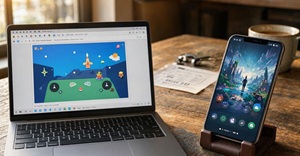
No-download browser games and mobile game apps serve the same basic purpose, but the experience can feel quite different. A no-download browser game can usually be opened from a link and played without installing a separate game app. A mobile app takes more setup, but it can make better use of the phone’s hardware and operating system.
For casual players, the real question is not which format is universally better. It is which one fits the way a game is meant to be played.
The biggest attraction of a no-download game is obvious: there is no installation step.
A player can open a browser, find a game and start playing once the required files load. There is no app-store search, installation screen or large package sitting on the phone afterward. MDN notes that HTML games can be distributed through direct links and accessed without installing a large package.
That makes the format useful for quick gaming sessions.
Short breaks
Casual arcade games
Puzzle games
Sports games
Board games
Games played occasionally
For a game that may only be played for ten minutes, avoiding an installation can make a noticeable difference.
Mobile apps have a clear advantage when a game needs substantial local resources.
A dedicated app can store large amounts of graphics, sound and other game data on the device. It can also work more closely with features such as vibration, sensors, notifications and platform-specific controls.
That extra access matters for larger games.
A high-end 3D title, for example, may benefit from being installed rather than loading its assets through a browser. Native apps can also be designed specifically around Android or iOS instead of trying to work across several browser environments.
This point is easy to overlook.
A browser game still has to download its game files before play begins. A large HTML5 game with heavy graphics or audio can take time to load, particularly on a weak connection. MDN also points out that the initial download can vary according to game size and network speed.
So the real advantage is no installation, not necessarily instant loading.
A small, well-optimised browser game may start very quickly. A poorly optimised one can still feel slow.
Phone storage fills up quickly. Photos, videos, social apps and system files already compete for available space, so adding another large game is not always attractive.
Browser games generally avoid requiring a separate app installation, although the browser may store cached files, cookies, local storage or other game data on the device.
This is particularly useful for:
Older phones
Low-storage devices
Shared devices
Players who rarely play games
People who prefer keeping fewer apps installed
There may still be cached browser data, but the experience does not require the same kind of permanent installation as a typical mobile game.
Browser games have another practical advantage: developers can update the version hosted on the server.
Developers can update the game files on their server, allowing players to receive the newer version through the webpage without going through a separate app-store update process. MDN identifies instant updates as one of the advantages of HTML-based game distribution.
For players, this happens mostly in the background.
Mobile games can also update automatically, of course, but they remain tied to the app distribution system.
HTML5 games are built around web technologies such as HTML, CSS and JavaScript, with modern browsers supporting graphics, audio, networking and different forms of input.
That gives browser games a useful cross-platform quality.
A suitable game can potentially run on:
Android phones
iPhones and iPads
Tablets
Laptops
Desktop computers
The actual experience still depends on browser compatibility and how well the game has been built for different screen sizes.
Mobile apps, meanwhile, normally require separate platform versions or builds.
Browser gaming is not a replacement for native gaming.
Mobile apps can be the better option when a title needs:
demanding 3D graphics
large local assets
Strong offline functionality
Extensive device integration or reliable offline functionality.
Advanced notifications
Consistent platform-specific controls
A native game can be designed specifically for a mobile operating system and optimized for supported hardware configurations. That can make a difference when every bit of performance matters.
For casual games, however, those advantages may not be important enough to outweigh the convenience of a browser.
A Quick Comparison:
Feature | No-download Browser Games | Mobile Game Apps |
Starting a game | Directly from browser | After installation |
Device storage | Usually lower | Can be substantial |
Installation | Not normally required | Required |
Offline play | Depends on the game | Usually better |
Cross-platform access | Strong | More platform-specific |
Updates | Usually handled online | Usually app-store based |
Casual sessions | Very convenient | Good, but needs setup |
Large 3D games | Less suitable | Usually better |
Hardware access | More limited | More extensive |
For quick and occasional gaming, no-download browser games can be particularly convenient.
There is less commitment. A game can be tested without giving up storage space, and the same webpage may work across different devices. The web is also naturally suited to direct distribution, meaning a game can be shared through a simple link rather than relying entirely on an app store.
Mobile apps can be more suitable when gaming is a regular activity or when a particular title benefits from substantial local storage, offline functionality or deeper device integration.
A player who spends hours every day on one game may prefer the deeper integration of an installed app. Someone looking for a quick cricket match, puzzle or arcade session may have little reason to install anything.
They can use browser cache or local storage, but they normally do not require the full installation associated with a mobile game app.
Not in every situation. Browser games are generally more convenient for quick, casual sessions, while mobile apps can provide better performance and deeper access to device features.
Often, yes, but it depends on the game. Mobile apps can store game assets locally and are commonly designed to support offline play. Browser games can also support offline functionality when developers build them with technologies such as service workers and appropriate local caching.
Performance and controls can vary depending on the browser, device and how the game is optimized for mobile screens.
The Better Option Depends on the Session:
There is no single winner between browser games and mobile apps.
A no-download browser game makes more sense when convenience, storage and quick access matter most. A mobile app becomes the stronger choice when performance, offline access and deeper hardware integration are important.
For a five-minute gaming break, opening a browser can be enough. For a game that becomes a daily hobby, installing an app may be worth the extra space and setup.
The useful part is having both options. Players can choose the format based on the game, the device and the amount of time available rather than treating one platform as better for everything.
Atmegame.com is a completely new platform for the online games lovers.The best part is that all games available on our website are free and can be enjoyable on multiple devices, including desktop, mobile phones, tablets, and iPhones or iPads.
