



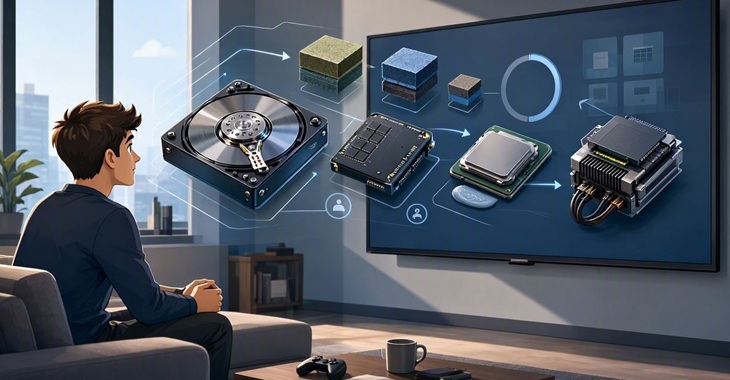
Why Do Games Take So Long to Load?
Most players get frustrated when the loading time of their favorite title increases and they have no option rather than waiting to open it helplessly.
You click Play, wait for the game to start, watch another loading bar appear, and then wonder whether something has gone wrong. Sometimes the reason is obvious, such as a poor internet connection. Other times, the same game takes seconds to load one day and several minutes the next.
The truth is that loading a game involves much more than downloading one big file. The device has to receive assets, process them, prepare memory and get everything ready before you can actually play.
It Is Not Always Your Internet Connection:
A slow connection is an easy suspect, but it is only one piece of the puzzle.
When a game starts, it may need to request a large number of files. Network latency, server response time, file size and the number of requests can all affect how quickly those resources arrive. MDN points out that higher latency becomes increasingly noticeable when an application makes multiple network requests.
So even if your internet speed looks good on a speed test, a game can still take its time loading.
You may be dealing with:
A busy game server
High network latency
Large game assets
Too many separate requests
Weak Wi-Fi
Mobile network congestion
Big Game Files Take Time to Prepare:
Modern games contain a lot of material: textures, sounds, animations, maps, character models and other assets.
The larger those files are, the more work is required before the game can become playable. Developers therefore spend considerable effort compressing assets and deciding which ones need to be available immediately.
This is particularly important on mobile devices, where large files can take longer to download and process.
A game does not necessarily need to load everything before showing the first playable screen. Techniques such as lazy loading allow non-essential resources to be postponed until they are actually needed.
Your Storage Drive Can Make a Difference:
The type and condition of your storage can also affect loading.
An SSD generally handles game data much faster than an older mechanical hard drive. But even with an SSD, having very little free space can make a device feel less comfortable during demanding tasks.
There is another issue: games don't simply read files and immediately display them. Assets may need to be decompressed, processed and moved into memory before they can be used.
That is why a powerful gaming PC can still have a noticeable loading screen if the game itself has a lot of work to do during startup.
The CPU Has Work to Do Before You Start Playing:
Loading is not purely a storage or graphics task.
The CPU may need to initialize the game engine, process configuration files, prepare objects and handle other startup operations.
For browser-based games, there is another layer involved. The browser must download and process the game's HTML, JavaScript and other resources before the experience becomes interactive. MDN describes parsing, scripting and rendering as separate parts of the browser's loading process.
So when a browser game appears to be “stuck,” it may actually be busy preparing everything behind the scenes.
Browser Games Can Have Their Own Loading Delays:
A browser game has an interesting advantage: there is usually no traditional installation process.
But that does not mean it loads nothing.
The browser may need to fetch:
JavaScript code
Images and textures
Audio
Game data
Fonts
Multiplayer information
Additional files required after startup
If a game depends on many resources or large files, the first visit can take longer.
Caching can help on later visits because resources that are already stored locally may not need to be downloaded again. MDN notes that cached resources can load much faster than data that has to be fetched over a high-latency connection.
Why Developers Try to Load Less at the Start?
Good game design isn't only about making a game look impressive. Developers also have to decide what players actually need right away.
A sensible loading strategy might look like this:
Loading Approach | What Happens |
Load essential assets | Faster start |
Load everything | Longer initial wait |
Lazy loading | Extra content arrives when needed |
Extra content arrives when needed | Less data needs to be transferred |
Caching | Previously loaded resources can return faster |
For larger games, developers can split content into smaller sections and bring in assets as players reach particular areas. Unity recommends techniques such as asynchronous loading, compressed textures and loading content only when it is needed to reduce startup delays.
What Can You Do If a Game Loads Slowly?
Before blaming your device, try a few simple checks.
Restart the game and browser.
Close unnecessary apps and browser tabs.
Try a wired connection or stronger Wi-Fi if possible.
Check whether other downloads are running.
Make sure you have reasonable free storage.
Update the game, browser and graphics drivers.
Try again later if the game's servers appear busy.
For browser games, test another supported browser.
Don't change ten things at once. Try one solution, launch the game again and see whether the loading time changes.
A Long Loading Screen Does Not Always Mean a Bad Game:
There is a difference between a game that is genuinely overloaded and one that simply has a lot of content to prepare.
Still, players shouldn't have to stare at an unexplained loading screen for ages. Even when developers cannot make the process instant, showing useful progress or loading essential content first can make the wait feel shorter.
MDN recommends giving users feedback during longer loading periods rather than leaving them wondering whether something has stopped working.
In the end, game loading time is a team effort between the server, network, storage, CPU, browser and the game's own design. If one part becomes a bottleneck, the whole experience can feel slow.
So the next time a game takes forever to load, don't immediately assume your internet is the problem. Sometimes the real culprit is hiding much deeper in the loading process.
Frequently Asked Questions (FAQs)
1. Does an SSD make games load faster?
It can. SSDs generally provide faster data access than traditional hard drives, although the actual improvement depends on the game and the rest of the system.
2. Why does the same game sometimes load quickly and sometimes slowly?
Network conditions, server traffic, cached files, background downloads and device workload can all change from one session to another.
3. Why do browser games take time to load if they don't require installation?
They still need to download and process game code, graphics, audio and other resources. No installation does not mean no data needs to be loaded.
4. How can developers reduce game loading times?
They can compress assets, reduce unnecessary requests, load essential content first, use caching and lazy loading, and bring additional game content in only when it is required.
5. Can clearing browser cache make games load faster?
Not automatically. Cached resources can actually make repeat visits faster. Clearing the cache may help with corrupted or outdated files, but it also means those resources need to be downloaded again.