



Guest User
Login
#0 Rank0 Coins
Dashboard
 Notification
 Coins
CoinsGames Categories
 New Games
Connect with us



 sports
 action
 cricket
 arcade
 racing
 adventure
 girls
girls boys
boys hot
hot moresportsactioncricketarcaderacingadventuregirlsboyshotmore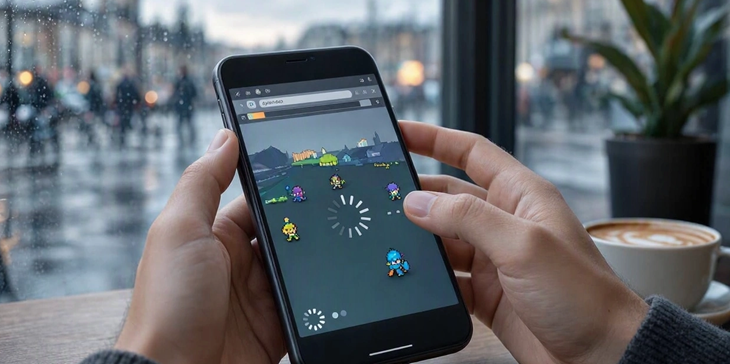
You tap a browser game on your Android phone expecting a quick round, but instead the screen freezes, the animation starts jumping and your phone begins feeling warmer than it should. Sometimes the game loads quickly but becomes sluggish once you actually start playing.
So, is the problem the browser?
Not always.
A browser game has to juggle several jobs at once: downloading assets, running JavaScript, drawing graphics, responding to touch and communicating with a server. On an Android phone, all of that is happening on mobile hardware with its own processing, memory and thermal limits.
Browser games can be slow on Android because of limited processing resources, overheating, demanding graphics, too many background apps or tabs, inefficient game code, large assets, or network problems.
If a game loads slowly, check your connection first. If it loads quickly but stutters during gameplay, the phone, browser or game's rendering workload is more likely to be responsible.
The first thing to check is whether the game is actually the problem.
If you have dozens of browser tabs open, several apps running in the background and limited free memory, the browser has less room to work comfortably.
Things that can make a noticeable difference include:
Closing unused tabs
Restarting the browser
Closing demanding apps in the background
Keeping the phone from overheating
Updating the browser
Trying the game after reconnecting to a stronger network
A slow phone does not necessarily mean the phone is old. Heat can also affect performance, particularly during longer gaming sessions.
This is an easy one to misunderstand.
Your internet connection mainly affects how quickly the game and its assets arrive. Once the game is running, the phone still has to process the game's code and render every frame.
A game can therefore have:
Fast loading + poor gameplay performance
Or
Slow loading + smooth gameplay once loaded.
Network latency can also become noticeable in multiplayer games. Mobile networks introduce additional delays between the device and server, and poor coverage can make the problem worse.
So if a game takes ages to open, suspect the connection or the size of its files. If it opens quickly but stutters during gameplay, look more closely at processing and rendering.
Modern browser games are capable of much more than the simple games associated with the early web.
WebGL is widely used for hardware-accelerated graphics on the web, while newer technologies such as WebGPU provide developers with a more modern API for graphics and GPU computation.
That is great for developers, but it also means a browser game can put considerable pressure on a phone.
Lots of:
3D objects
Particle effects
Shadows
High-resolution textures
Lighting effects
Animations
can increase the workload.
An older or budget phone may simply struggle with a game that runs comfortably on a newer device.
There is another piece of the puzzle that players rarely see.
Browsers have to handle JavaScript, page layout, rendering and user interactions. If too much work is pushed onto the main thread, the game can become unresponsive.
MDN notes that a busy main thread can delay touch and other interactions, producing the kind of sluggish response users notice immediately.
This is why a game may look fine for a moment and then suddenly start stuttering when lots of objects appear on screen.
The developer may need to reduce unnecessary calculations, simplify rendering or move suitable work away from the main thread.
A game does not only download its programming code.
It may also need:
Character images
Backgrounds
Music
Sound effects
Fonts
3D models
Texture files
Multiplayer data
Large assets take longer to download and may also consume more memory once loaded.
Mobile devices can be particularly sensitive to this. MDN points out that downloading large files and rendering large images can take longer on mobile hardware, even when a connection appears fast.
This is one reason good mobile browser games are usually designed with performance in mind rather than simply shrinking a desktop game onto a phone.
You might think you're loading a game, but you're actually loading an entire webpage first.
Advertisements, analytics scripts, social widgets, animations and other third-party content can all consume resources.
That can leave less processing time for the game itself.
Web performance isn't only about the game engine. The browser has to process the whole page, and excessive JavaScript can affect loading, rendering, battery usage and responsiveness.
This is why two games with similar graphics can perform very differently.
FPS, or frames per second, is basically how often the game updates the image shown on screen.
When the phone cannot finish all the work quickly enough, frames are missed.
The result is familiar:
Movement looks choppy
Characters appear to jump
Touch responses feel delayed
Animations lose their smoothness
For animation, MDN uses roughly 16.7 milliseconds as a useful frame-time target for 60fps.
That may sound like a tiny amount of time—and it is. A game has very little room for unnecessary work if it wants to maintain a smooth experience.
If a browser game is running badly, try this quick checklist:
Problem | First Things to Try |
Gameplay stutters | Close other apps and tabs |
Game loads slowly | Switch to a stronger connection |
Touch feels delayed | Try another browser or restart it |
Phone gets hot | Take a break and let it cool |
Everything is slow | Check the phone/browser itself |
Only one game is slow | The game's optimization may be the issue |
Multiplayer lags | Check network stability |
You can also try lowering graphics quality if the game provides the option.
Players can optimize their phones, but developers have plenty of responsibility here.
A well-built game should consider different devices instead of assuming everyone owns the latest flagship phone.
Good optimization can involve:
Compressing assets
Loading content only when needed
Reducing unnecessary calculations
Limiting expensive visual effects
Avoiding excessive network requests
Optimizing JavaScript
Testing on weaker mobile hardware
The browser itself has many performance tools and APIs available to developers. The challenge is using them sensibly.
Not by default.
Modern browsers are capable gaming platforms. The web now supports hardware-accelerated graphics, sophisticated networking and performance-focused technologies that make much richer games possible.
The real issue is the combination of game complexity + device capability + browser workload + network conditions.
A lightweight puzzle might run perfectly on an inexpensive phone, while a graphics-heavy 3D game pushes that same device to its limits.
So next time a browser game starts crawling, don't immediately blame the browser.
It could be your connection. It could be the phone's temperature. It could be too many background processes. Or, quite simply, the game itself may need better optimization.
Phones generally have different processing, graphics and thermal limits. A demanding game can therefore place more pressure on mobile hardware.
It can help when other tabs or apps are consuming significant memory or processing resources.
Usually, a faster connection improves loading and network responsiveness rather than the game's local FPS. FPS is more closely tied to rendering and processing performance.
A demanding game can keep the CPU and GPU busy for an extended period. That workload produces heat, particularly during graphics-heavy gameplay.
Atmegame.com is a completely new platform for the online games lovers.The best part is that all games available on our website are free and can be enjoyable on multiple devices, including desktop, mobile phones, tablets, and iPhones or iPads.
