



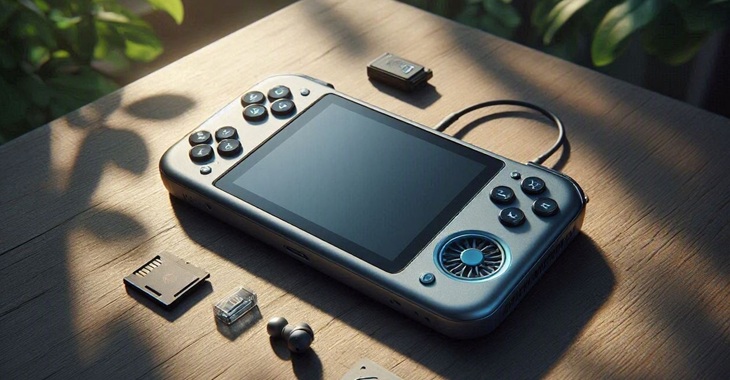
What to Look for When Buying a Gaming Handheld in 2026?
Buying a gaming handheld sounds easy until you start comparing the options. One model has a better screen, another promises higher performance, another has a bigger battery, while a cheaper device may actually be the better choice for the games you play.
That is why I would not start with the question, “Which handheld is the most powerful?” The better question is: What do I actually want to play, and where will I play it?
The handheld market has become much more varied in 2026, with devices built around different processors, operating systems, screen sizes and prices. Current buying guides also show a clear split between affordable models, balanced all-rounders and expensive performance-focused machines.
1. Start with Performance, But Don't Chase Numbers:
The processor and integrated graphics chip determine what kind of games the handheld can realistically handle.
If you mainly play indie games, older PC titles or lighter multiplayer games, you don't necessarily need the fastest hardware available. Spending extra money on a high-end APU may give you more performance than you will ever use.
For newer AAA games, however, stronger hardware becomes important.
Before buying, check whether the handheld can comfortably run the games you actually play. Look at real gaming benchmarks, rather than relying only on the processor's name.
A useful rule is:
Indie and older games: mid-range hardware is usually enough
Competitive games: prioritise sustained performance and refresh rate
AAA games: look for a stronger APU and adequate cooling
Emulation: check performance for the specific systems you want to emulate
2. Screen Quality Can Change the Experience:
The screen is easy to overlook because handheld specifications often lead with processor performance.
Don't make that mistake.
You are going to be staring directly at this display for hours.
Look at:
Screen size
Resolution
Refresh rate
Brightness
VRR support
Colour reproduction
OLED vs LCD
Touchscreen quality
For example, a 7-inch 1080p display can look noticeably sharper than an older 800p panel, while a high-refresh screen can make fast games feel smoother.
But higher resolution also means more pixels for the hardware to render. So a sharper screen isn't automatically the better gaming choice.
3. Battery Life: Check Gaming Results, Not Advertised Hours:
This is probably the specification I would treat most carefully.
Manufacturers may quote battery life based on light workloads, video playback or low-power settings. Playing a demanding game is a completely different situation.
Older hands-on testing of handhelds has shown how dramatically gaming runtime can differ from lighter-use figures.
When comparing models, ask:
How long will it actually last while playing my favourite games?
A large battery is useful, but efficiency matters too. A device that delivers similar performance while consuming less power can be more practical than a faster machine that needs a charger constantly.
4. Don't Underestimate Comfort:
This is one area where specifications tell you almost nothing.
A handheld might look fantastic online and still feel uncomfortable after 45 minutes.
Pay attention to:
Weight
Grip shape
Button placement
Analogue-stick position
Trigger feel
Vent placement
Fan noise
Size of the device
A heavier handheld can become tiring during long RPG sessions. A compact model may be easier to carry but less comfortable for larger hands.
If possible, hold the device before buying it. A five-minute hands-on check can tell you something a product page cannot.
5. Storage Fills Up Surprisingly Fast:
Modern PC games are enormous.
A handful of large AAA titles can consume a substantial portion of a small SSD. That makes storage capacity particularly important on handhelds.
I'd look for at least 512GB if the budget allows, while 1TB is more comfortable for someone with a large game library.
Also check whether the device supports expandable storage.
A microSD card can be useful for keeping less demanding games available without filling the internal SSD.
6. SteamOS or Windows? This Choice Matters:
The operating system affects the experience almost as much as the hardware.
A SteamOS-based handheld generally aims for a console-like experience: turn it on, find your game and play.
Windows offers broader PC flexibility. You can access multiple storefronts and use the handheld more like a conventional computer.
That freedom comes with a downside. Windows can sometimes feel awkward on a small touchscreen, particularly when navigating desktop menus.
The difference is worth considering before spending your money. Traditional comparisons have found Windows handhelds have an advantage for accessing multiple PC launchers, while SteamOS offers a more focused gaming experience.
A simple way to decide:
What you want | Prioritise |
AAA performance | Strong APU |
Travelling | Low weight |
Desktop use | Windows + docking support |
Large library | 1TB storage or expansion |
Competitive games | High refresh + VRR |
Long sessions | Battery efficiency |
Multiple PC stores | Windows |
Simple console-like experience | Easy-to-use gaming OS |
7. Cooling and Noise Matter More Than You Think:
A handheld computer has to fit powerful hardware into a very small body.
That creates a heat problem.
Good cooling helps the processor maintain performance instead of constantly reducing its speed. Poor thermal management can mean higher temperatures, louder fans or inconsistent frame rates.
Fan noise is another consideration. It may not bother you while playing with headphones, but it can become irritating during quieter games.
Reviews that test sustained gaming are much more useful here than short benchmark results.
8. Think About How You'll Actually Use It:
This sounds obvious, but it can prevent an expensive mistake.
If you plan to use the device mostly at home, portability may not be your biggest concern. A larger screen, better cooling and stronger performance could be more useful.
If you're buying it for travel, weight and battery life become much more important.
And if you want to connect it to a monitor or TV, check its USB-C capabilities, docking support and external display options.
Some handhelds can become surprisingly capable little desktop machines when connected to the right accessories.
9. Price Isn't the Same as Value:
The 2026 market has some very expensive handhelds. Current reviews include high-end models approaching or exceeding the price of a gaming laptop. For example, The Verge recently reviewed MSI's Claw 8 EX AI+ at a $1,800 price, praising its hardware while questioning whether that cost makes sense for most players.
That is an important lesson.
The most powerful handheld isn't necessarily the best handheld.
If a $600–$1,000 model runs your games well, spending considerably more for another 20–30% performance may not be worthwhile.
My Practical Buying Checklist:
Before placing an order, I'd check these in roughly this order:
Games you want to play
Real-world performance
Battery life while gaming
Comfort and weight
Screen quality
Operating system
Storage
Cooling and fan noise
Ports and connectivity
Warranty and after-sales support
Total price, including accessories
Don't let one impressive specification decide the purchase.
The Bottom Line:
A good gaming handheld should fit your gaming habits rather than force you to change them.
If you mostly play indie titles, you can save money by avoiding unnecessary performance. If AAA gaming is your priority, spend more on the processor and cooling. If you travel frequently, battery life and weight may matter more than an extra few frames per second.
And don't forget the simplest test of all: can you comfortably hold it and play for a couple of hours?
A handheld can have the fastest chip, the best display and a huge SSD, but if it feels uncomfortable in your hands, you'll probably stop using it.
In 2026, there are enough choices that you don't have to settle for the most expensive model. Buy for your games, your hands and your routine—not for the biggest number on the specification sheet.