



Guest User
Login
#0 Rank0 Coins
Dashboard
 Notification
 Coins
CoinsGames Categories
 New Games
Connect with us



 sports
 action
 cricket
 arcade
 racing
 adventure
 girls
girls boys
boys hot
hot moresportsactioncricketarcaderacingadventuregirlsboyshotmore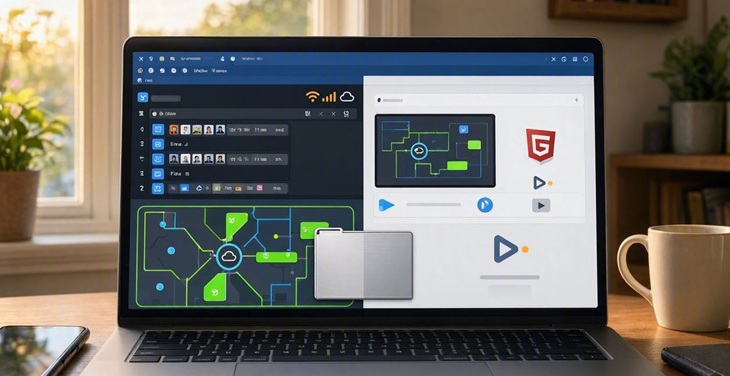
Flash games were once popular among players of all ages. Gamers only needed a browser to find games from their favorite genres. However, these games were replaced by HTML5-based games for several reasons. Let’s understand the transition from Flash games to their replacements from the beginning and then move forward.
Many gaming websites had large collections of Flash-based games, and players could move from one game to another without installing a separate program. That changed when Adobe stopped supporting Flash Player.
Browser companies also removed Flash support, and many old games stopped working as they once did. But browser gaming did not disappear. It simply moved to newer technology.
Flash games were browser games created with Adobe Flash. They needed Flash Player to run, which was normally installed as a browser plugin.
Flash became popular because it made it relatively easy to add animations, videos and interactive games to websites. Small browser games became especially common because they could be loaded and played without the large downloads associated with many PC games.
There were Flash games in almost every popular category, including:
Racing
Puzzle
Sports
Action
Adventure
Arcade
Strategy
Multiplayer
For many people, these games were simply an easy way to play online when there was some free time.
Flash had been around for a long time, but the web was changing.
Browsers were becoming better at handling interactive content without additional plugins. Flash also had a history of security and performance concerns. Over time, developers had more reasons to move toward newer web standards.
Adobe announced in 2017 that it would end Flash Player support. The final support date was December 31, 2020.
After that, major browsers stopped supporting Flash. Adobe also blocked Flash content from running through Flash Player.
This is why an old Flash game that once opened normally may no longer work today.
There was no single replacement.
Modern browser games use a combination of web technologies. HTML5, JavaScript, Canvas and WebGL are among the technologies commonly used.
They each have different jobs.
HTML5 provides features used for modern web content.
JavaScript handles things such as movement, controls and game rules.
Canvas can draw 2D game graphics.
WebGL can handle more advanced 2D and 3D graphics.
A game does not have to use all of them. The technologies used depend on how the game has been built.
HTML5 helped developers create interactive games without depending on a separate Flash plugin.
It can work with JavaScript and graphics technologies such as Canvas and WebGL. This gives developers the tools needed to build everything from simple arcade games to more demanding browser experiences.
It also fits better with the way modern websites work. Games can be designed for computers, phones and tablets, depending on the controls and layout used by the developer.
Some disappeared, but not all.
A number of old games have been preserved by developers and gaming communities. Some have also been rebuilt or converted so they can work with modern technology.
There are projects such as Ruffle that aim to preserve Flash content and make older games accessible on current systems.
Still, preservation is not possible for every game. Some depended on old servers, missing files or other technology that no longer exists.
So, finding an old Flash game online does not necessarily mean it can still be played in the same way.
Some preserved Flash games can still be played through modern solutions designed to support old Flash content.
However, the original Flash Player is no longer supported. Modern browser gaming does not normally depend on it.
For current games, HTML5-based browser games are the more common option. They can run through modern browsers without requiring Flash Player.
Modern browser games can do things that were less common during the Flash era.
Many are built with mobile devices in mind. A game can use taps and swipes instead of relying only on a keyboard and mouse. Some games can also adjust their layout according to the screen being used.
Graphics have changed too. WebGL gives developers access to more advanced graphics than many of the simple Flash games that were popular years ago.
That does not mean every modern browser game is large or complicated. Plenty are still designed for quick sessions.
Websites that depended heavily on Flash had to make changes.
Some removed their old games. Others converted selected titles to HTML5 or replaced them with newer games.
Converting an old game was not always straightforward. Developers needed access to the original files and other resources. Some games also depended on online features that were no longer available.
This is why some familiar Flash games survived while others disappeared.
Question 1. When did Adobe end Flash Player support?
A. 2016
B. 2018
C. 2020
D. 2023
Answer 1. 2020
Question 2. Which technology is commonly used in modern browser games?
A. HTML5
B. BIOS
C. PDF
D. ZIP
Answer 2. HTML5
Question 3. Which technology can be used for 2D graphics in browser games?
A. Canvas
B. FTP
C. SMTP
D. BIOS
Answer 3. Canvas
Flash games were an important part of online gaming for many years. They made it easy to open a browser and start playing without installing a large game.
The end of Flash changed that system, but it did not end browser gaming. Developers moved toward HTML5, JavaScript, Canvas, WebGL and other modern web technologies.
Today, browser games can be played across computers and many mobile devices, depending on the game. For people who simply want to play online games without installing another application, modern HTML5 games have taken over much of the role once filled by Flash.

Atmegame.com is a completely new platform for the online games lovers.The best part is that all games available on our website are free and can be enjoyable on multiple devices, including desktop, mobile phones, tablets, and iPhones or iPads.