



Guest User
Login
#0 Rank0 Coins
Dashboard
 Notification
 Coins
CoinsGames Categories
 New Games
Connect with us



 sports
 action
 cricket
 arcade
 racing
 adventure
 girls
girls boys
boys hot
hot moresportsactioncricketarcaderacingadventuregirlsboyshotmore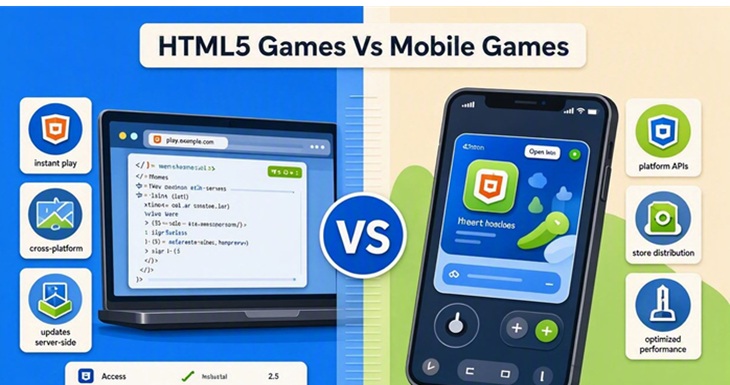
If you play games on your phone, you have probably played both browser games and mobile games without really thinking about the difference. You tap the screen, wait for the game to load, and start playing. From a player's point of view, the two can seem almost the same.
The difference becomes clearer when you look at how the games are accessed. A typical mobile game needs to be downloaded and installed, while an HTML5 game can be opened directly in a browser. Many browser games use HTML5 and related web technologies to run directly in a web browser. That small difference can affect storage, updates, device compatibility, and the overall way you play.
HTML5 games are games that run inside a web browser. You do not normally need to install a separate app to play them. Just open the game page in a supported browser and let it load.
Many of these games are made to work across different screen sizes. Depending on the title, you may be able to play the same game on a phone, tablet, laptop, or desktop.
Some of best HTMl5 Games:
Some common HTML5 game types include:
The controls depend on the game and device. A phone may use taps or swipes, while a computer version might use a keyboard and mouse.
Mobile games are generally designed for smartphones and tablets and are usually installed as apps. You can download them from an app store and then open them from your device whenever you want to play.
Example : Arrow Escape Champ
Mobile games are commonly developed for platforms such as Android and iOS and are usually distributed through app stores.
There is a wide range of mobile games available. Some are small casual titles, while others are much larger and include detailed graphics, several game modes, online features, and regular content updates.
Once installed, a mobile game can also make use of certain features of the device, depending on how it was developed.
The easiest way to explain the difference is through access.
HTML5 game: Open it in a browser and play.
Mobile game: Download the app, install it, and then play.
Here is a quick comparison:
Feature HTML5 Games Mobile Games
How you access it Web browser Installed app
Installation Usually not needed Usually needed
Storage Usually less permanent storage Can take more space
Updates Usually handled online Usually downloaded as app updates
Devices Can work on different devices Mainly built for mobile
Internet Often required to load Depends on the game;
/play browser games some support offline play
Controls Touch, keyboard, or mouse Mostly touch-based
These are general differences, though. Individual games can work differently.
This is one area where the two formats can feel quite different.
With an HTML5 game, you do not normally have to install a complete game package on your phone. You open it through your browser instead. The browser may still save temporary files, You are generally not installing a separate game app on your device.
Mobile games can take up much more space. Games with detailed graphics, sound, extra levels, or downloadable content can become quite large.
If your phone has limited free space, this is something worth considering.
Performance depends heavily on the game and the device.
A simple HTML5 game may run without much trouble on an average phone. A more demanding browser game may need a newer device, enough memory, and a stable connection.
Mobile games can sometimes be better optimized for a particular operating system and device hardware. But it would be misleading to say that every installed game runs better than every browser game.
A well-built HTML5 game can run smoothly, while an app that is poorly optimized can still have performance problems.
HTML5 games are capable of much more than the basic browser games people may remember from years ago. Modern web technology can handle animation, sound, effects, and fairly detailed environments.
Mobile games can also offer advanced graphics, particularly larger titles designed specifically for newer phones. Some of these games are quite large because of their visual assets and other content.
So, there is no need to choose one format based only on graphics. The actual game matters more.
Mobile games normally receive updates through an app store. Depending on the size of the update, you may need to download a considerable amount of data.
HTML5 games are generally updated by the developer on the web side. When you return to the game, the newer version can usually load through the browser.
For someone who only plays a game now and then, this can make browser gaming a little simpler.
Yes, many can.
HTML5 games can be designed specifically for touchscreen devices. Some use large on-screen buttons, while others rely on tapping or swiping.
However, not every browser game is equally comfortable on a phone. A game designed mainly for keyboard and mouse controls may be easier to play on a computer.
Checking mobile compatibility before starting can save some frustration.
It really depends on your gaming habits.
HTML5 games may be worth considering if you:
Do not want another app on your phone
Have limited storage
Prefer quick games
Like trying different genres
Want to play through a browser
Mobile games may make more sense if you:
Play the same game regularly
Want a dedicated app
Prefer larger games
Need certain device-based features
Want offline play when supported
Final Thoughts:
HTML5 and mobile games are not necessarily competing types of games. In many cases, they simply offer different ways of accessing and playing games.
A browser game can be useful when you want something quick without installing another app. An installed mobile game may be more suitable when you plan to spend a lot of time with one particular title.
Your phone's storage, internet connection, device performance, and the type of game you enjoy will usually have more influence on your choice than the label itself.

Atmegame.com is a completely new platform for the online games lovers.The best part is that all games available on our website are free and can be enjoyable on multiple devices, including desktop, mobile phones, tablets, and iPhones or iPads.