



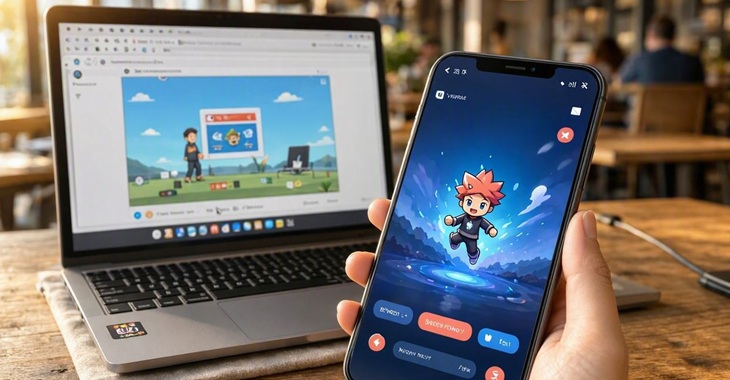
HTML5 Browser Games Vs Mobile Apps: Which Offers a Better Experience?
The choice between an HTML5 browser game and a mobile gaming app often comes down to one simple thing: how quickly a player wants to start playing. Browser games can open almost instantly, while mobile apps usually offer deeper access to the phone and its hardware.
Neither option is automatically better. The difference becomes clearer when factors such as loading time, graphics, storage, controls, updates and device performance are considered.
HTML5 Browser Games: Play Without Installing:
HTML5 games run through a web browser using technologies such as HTML, JavaScript and browser graphics APIs. Canvas can handle 2D game graphics, while WebGL supports hardware-accelerated 2D and 3D rendering.
The biggest advantage is convenience. A player can open a game page, wait for the required files to load and start playing without installing another application.
That makes browser games useful for:
Quick gaming breaks
School or work breaks where permitted
Casual games
Older or low-storage devices
Trying a game before committing to an app
Modern browsers are capable of handling much more than basic puzzle games. Web technologies now support 3D graphics, gamepad input, audio, networking and local storage.
Mobile Apps Offer Deeper Device Access:
Native mobile games are installed directly on Android or iOS devices. This gives developers more direct access to platform features and hardware capabilities.
A well-built mobile game can make extensive use of:
Device graphics hardware
Touch controls
Vibration and haptics
Local storage
Notifications
Device sensors
Platform-specific services
This extra access can be useful for games that need complex graphics, large worlds or more advanced online features.
The trade-off is installation. Storage space is required, updates have to be downloaded and the game may need additional files after installation.
Which One Loads Faster?
Browser games have an obvious advantage when the game itself is lightweight. There is no app-store installation process, and a game can be opened directly from a webpage.
However, “browser game” does not automatically mean “fast.” A poorly optimized HTML5 game with large images, audio files and scripts can still take time to load.
The same applies to mobile apps. A small, well-optimized app can launch quickly, while a large game may take considerable time to install and update.
So the real comparison is optimization versus optimization, rather than browser versus app.
Graphics: The Gap Is Smaller Than Before
Mobile apps still have an advantage when a game is designed around high-end device hardware. Developers can tune a native title closely to a particular operating system and hardware configuration.
HTML5 gaming, however, has moved well beyond simple 2D experiences. WebGL provides hardware-accelerated graphics in modern browsers, including support on mobile devices.
For casual games, arcade titles, sports games and many 2D experiences, the visual difference may be difficult to notice.
For demanding 3D games, native apps still have more room for specialised optimisation.
Controls Can Change the Experience:
Touch controls are common on both platforms, so this area is fairly even for simple games.
The difference becomes more noticeable with external controllers, sensors or unusual input methods. Web games can use browser APIs such as the Gamepad API and device sensors, but support can vary depending on the browser and device.
Native apps generally have more predictable access to platform-specific input features.
For a simple tap-based game, that advantage may not matter at all.
Updates Are Easier with Browser Games:
One less obvious benefit of browser gaming is how updates are delivered.
A developer can update the files on the server, allowing players to receive the latest version when the game loads. There is no separate app-store download required for every change.
Mobile apps work differently. Updates are normally distributed through the relevant app store, although some games can download additional content after installation.
For developers testing frequent changes, the browser can therefore be a convenient distribution platform. MDN also notes that web games benefit from direct web distribution and the ability to update games without waiting for another platform's approval process.\
Storage and Offline Play:
This is one area where mobile apps can have a clear advantage.
A native game can store large amounts of content locally, making it practical for games that need extensive assets. Browser games can also store information locally through technologies such as IndexedDB, but browser storage comes with its own limitations and policies.
For players with limited internet access, a properly designed mobile game can be more convenient, particularly when most content is already installed.
Browser games are generally better suited to experiences that can load their required content efficiently.
A Quick Comparison:
Feature | HTML5 Browser Games | Mobile Apps |
Installation | Usually not required | Required |
Accessibility | Works across supported browsers | Platform-specific |
Storage | Generally lower | Can be substantial |
Controls | Touch, keyboard and some controllers | Strong device integration |
Updates | Often immediate | Usually app-based |
Graphics | Strong for many casual games | Better suited to demanding titles |
Starting a game | Usually quick | Requires installation first |
Offline use | Depends on the game | Often stronger |
So, Which Offers the Better Experience?
For casual gaming, HTML5 browser games can be the more convenient option. They remove installation, work across many devices and make it easy to start a short session.
For large games, mobile apps generally have the edge. Native development gives developers tighter control over performance, storage, device features and platform-specific hardware.
The choice also depends on the type of player. Someone looking for a five-minute game during a break may prefer opening a browser. Someone planning to spend hours with a large 3D title may prefer a dedicated app.
Frequently Asked Questions (FAQs)
Can HTML5 games have good graphics?
Yes. Modern browser technologies such as Canvas and WebGL can support detailed 2D and 3D graphics.
Are HTML5 games better than mobile apps?
Not in every situation. HTML5 games are usually more convenient for quick and casual play, while mobile apps can provide stronger performance and deeper access to device features.
Are mobile games faster than browser games?
Not automatically. A lightweight browser game can start faster than a large mobile app. Actual performance depends heavily on the game's optimisation, device and workload.
Do browser games require downloads?
They normally do not require an app installation. Game files still need to load through the browser, so the amount of content and internet connection can affect startup time.
The Better Choice Depends on the Game:
HTML5 browser games and mobile apps are no longer separated by a simple “basic versus advanced” line. Modern browsers can handle graphics, sound, networking and input that would have seemed unrealistic for web games years ago.
Still, native apps remain valuable when a game needs intensive graphics, extensive offline content or deep device integration.
For quick access and casual sessions, the browser has a strong advantage. For larger and more demanding gaming experiences, a mobile app often makes more sense. The better experience ultimately depends less on the label and more on how well the game has been designed for its platform.