



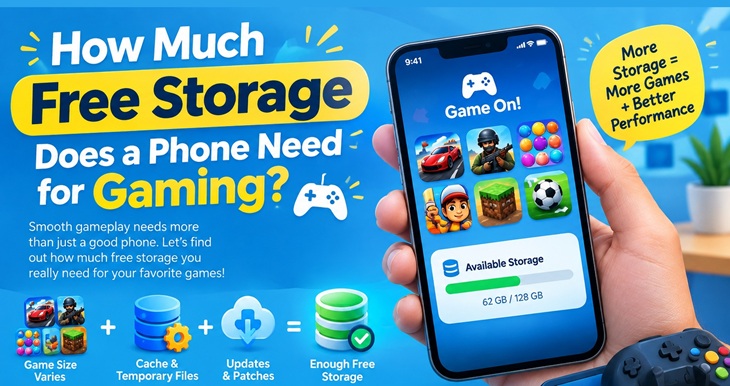
How Much Free Storage Does a Phone Need for Gaming?
Phone storage is a major thing to consider while installing a game or playing comfortably. Knowing the enough space left on your phone is a very important point to take into account to enjoy a hassle-free gaming experience.
You might have a 128GB phone, install two or three big games, and still wonder why the device suddenly feels cramped. Then come the warnings: storage almost full, updates that refuse to install, apps taking longer to open, and games that seem to need more space every few weeks.
For gaming, keeping at least 10% of your phone's storage free is a sensible minimum target, while around 15–20% can provide more breathing room if you regularly install large games, record gameplay or download lots of media. There isn't one universal free-space requirement for every phone or game.
Why a Game Needs More Space Than Its Download Size?
The number shown beside a game in an app store isn't always the final amount of storage it will occupy.
After installation, a game may download:
Additional graphics and textures
Maps and levels
Audio or language packs
Optional resource packs
Updates
Cached and temporary files
Downloaded game content
That is why a game advertised as a few gigabytes can gradually become much larger. Modern mobile games can easily reach several gigabytes, with some titles going well beyond that.
So don't plan your storage around the installation number alone.
How Much Free Space Is Enough?
These figures are practical targets rather than manufacturer requirements. Individual phones and games may need more or less available storage. Here's a practical way to look at it:
Phone Storage | Suggested Free Space for Gaming |
64GB | About 6–13GB |
128GB | About 13–26GB |
256GB | About 26–51GB |
512GB | About 51–102GB |
These aren't hard requirements. A phone won't suddenly become unusable because you have 12GB free instead of 15GB.
The point is to avoid running the device right up against its limit.
Once storage gets seriously crowded, phones may have difficulty handling updates and other storage-related tasks. Android's own troubleshooting guidance notes that phones can start having issues when less than 10% of storage is free.
Free Storage Isn't the Same as RAM:
This causes a lot of confusion among gamers.
Storage is where your games, photos, videos and apps are kept. RAM is the fast working memory used while those things are running.
Having 50GB of free storage does not give your phone more RAM or directly increase FPS. FPS is mainly affected by the CPU, GPU, available RAM, game optimization, graphics settings and thermal conditions.
What extra storage can help with is keeping the device from becoming overloaded with files and giving games enough room for updates, caches and additional content.
If a game is struggling because the phone lacks processing power or RAM, deleting 20GB of photos won't magically turn it into a gaming powerhouse.
Big Games Need a Bigger Safety Margin:
If you regularly play large 3D titles, keeping only 2GB free is asking for trouble.
Imagine having 4GB available and then discovering that a game update requires several gigabytes of additional space. Suddenly you're deleting photos or uninstalling another game just to get through an update.
Heavy gamers should therefore leave more room than someone who mostly plays small puzzles or arcade games.
A 256GB phone can be a much more comfortable option for someone who keeps several large games installed, records gameplay and also stores lots of photos and videos. A 128GB phone can still work well, but you'll probably need to manage it more often.
Don't Forget the Rest of Your Phone:
Games aren't the only storage hogs.
Photos and videos can quietly consume enormous amounts of space. So can downloaded movies, music, messaging-app media and old apps you haven't opened in months.
Before deleting a game, you actually play, check the storage breakdown on your phone.
You may discover that the real culprit is a gallery full of forgotten videos.
Both Android and iPhone provide storage-management screens that show which categories and apps are consuming the most space.
What Should You Delete First?
If you're running low, don't start randomly deleting files.
Try this order:
Remove games you genuinely no longer play.
Delete old downloads.
Move large photos and videos to cloud storage or another device.
Remove offline movies, music and podcasts.
Check whether games have optional HD resource packs.
Clear temporary app cache where appropriate.
Clear cache and clear data are not the same thing. Clearing cache removes temporary files, while clearing app storage/data can permanently remove locally stored information. Check whether your game progress is backed up before using the latter.
What About Browser Games?
This is where browser games can be convenient.
A browser-based game doesn't necessarily require the same permanent installation footprint as a large native mobile game because you don't have to install a dedicated game app. However, the browser can still store cached website data, and the game still uses RAM, CPU and GPU resources while running.
It doesn't mean browser games use zero storage. Browsers still use cache and temporary files, and demanding games can consume considerable memory and processing power while running.
But if you only want a quick puzzle or casual game now and then, for occasional casual gaming, browser games can therefore be useful when you want to avoid installing another large game app.
The Better Question Isn't Just “How Much Do I Need?”
The right amount depends on how you use your phone. If gaming is a major part of your phone use, keeping around 15–20% free can provide a comfortable buffer. If you mainly play small games, keeping at least 10% available may be sufficient.
Frequently Asked Questions (FAQs)
Does free storage increase FPS?
Not directly. Freeing storage can help when a device is severely cramped, but FPS is mainly influenced by the processor, GPU, RAM, game optimization, and graphics settings.
Is 10GB of free storage enough for gaming?
It depends on the phone's total storage capacity and the games you play. 10GB may be enough for lighter gaming, while heavy gamers may need more available space.
Can deleting games improve phone performance?
If storage is nearly full, deleting unused games can free up space and give the phone more room for temporary files and updates. However, it does not upgrade the phone's underlying hardware.
Is 128GB enough for a gaming phone?
128GB can be enough, especially if you play a few games and manage your photos, videos, and downloads. Heavy gamers may find 256GB more comfortable.
Should I keep 20% free storage?
Keeping around 10% to 20% of your storage available can be a practical buffer for games, updates, temporary files, and everyday use. It is a useful guideline rather than a strict rule.
Does a game use more storage after installation?
Yes. Some games download additional graphics, maps, audio, resource packs, or updates after installation, which can increase their total storage usage.
Is 256GB enough for mobile gaming?
For many mobile gamers, 256GB provides more room for several large games, photos, videos, updates, and other files. The amount of storage needed depends on how many games and other files you keep on your phone.