



Guest User
Login
#0 Rank0 Coins
Dashboard
 Notification
 Coins
CoinsGames Categories
 New Games
Connect with us



 sports
 action
 cricket
 arcade
 racing
 adventure
 girls
girls boys
boys hot
hot moresportsactioncricketarcaderacingadventuregirlsboyshotmore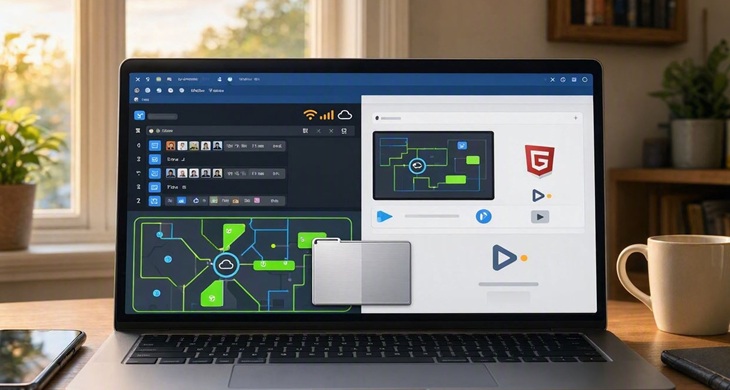
Browser games are often associated with quick access. A game opens in a browser, the required files load, and the gameplay begins, which makes them different from other traditional games that can’t be played without installing a separate app.
But, one question often comes up: does a browser game always need an internet connection?
In most cases, yes, at least when the game is being opened for the first time. However, the answer can change depending on how the game has been built and whether it supports offline play.
A browser game usually loads its files from a website. These files can include the game's graphics, sounds, code and other content needed for gameplay.
Without an internet connection, the browser cannot normally reach the website and load those files.
This is particularly true when the game is hosted completely online. The game may also need a connection during gameplay if it includes:
Multiplayer features
Online leaderboards
Cloud saves
Account-based progress
Online events
Content that changes regularly
For these games, going offline can stop some or all of the features from working.
HTML5 is a web technology used to create different types of online content, including browser games. A game built with HTML5 can potentially work offline if its files have already been stored on the device and the developer has included offline support.
However, simply being an HTML5 game does not mean it can be played without the internet.
The way the game has been developed matters more.
Offline browser gaming is possible, but it is less common than online play.
Some websites can store game files in the browser using technologies designed for offline access. Once the required content is available on the device, parts of the game may continue to work without an active connection.
This is more practical for simple games that do not depend on an online server.
For example, a basic puzzle or arcade game may not need a constant connection after its main files have loaded. A multiplayer game, on the other hand, normally needs an active connection to communicate with other players.
The result depends on the game.
A game that needs constant communication with a server may stop immediately. Another game may continue running but lose certain features.
Possible results include:
The game stops loading.
Multiplayer mode becomes unavailable.
Online scores cannot be saved.
Advertisements cannot load.
Cloud progress may not update.
Some game content may remain unavailable.
A single-player game with offline support may continue normally.
The difference becomes clearer when comparing single-player and multiplayer browser games.
A basic single-player game can sometimes run without an active connection if all necessary files are already available on the device.
Multiplayer games are different. They usually need a server to exchange information between players. Movement, scores and other gameplay actions may need to be sent between the game and the server.
This is why games that involve real-time competition generally depend on a stable internet connection.
Some can, but mobile browser gaming is usually designed around online access.
A game that supports offline use may continue to work after the required files have been cached or stored by the browser. However, closing the browser, clearing its data or changing certain settings can affect that stored content.
Mobile games also tend to depend on online features such as advertisements, leaderboards and account systems.
So, an offline browser game should not be confused with a game that simply happens to be easy to access on a phone.
The easiest way is to check the game's information or test it after the main content has loaded.
Some useful things to look for include:
An offline mode
Information about offline support
Single-player gameplay
No account requirement
No multiplayer features
Gameplay that does not depend on a server
If the game requires an account or connects to other players, an internet connection is more likely to be necessary.
Internet access gives browser games more options.
Developers can update content without asking players to install a new version. Multiplayer features can connect players from different locations, while online leaderboards can keep track of scores.
This is one reason many modern play online games are designed around an active connection.
For players, it also means the game can be opened from different devices without necessarily keeping a large installation file.
Question 1. Does HTML5 itself require an internet connection?
A. Always
B. Never
C. Not necessarily
D. Only for puzzle games
Answer 1. Not necessarily
Question 2. Which type of browser game normally needs an active internet connection?
A. Real-time multiplayer game
B. Simple offline puzzle
C. Basic single-player arcade game
D. Offline word game
Answer 2. Real-time multiplayer game
Question 3. Which technology is commonly used in modern browser games?
A. HTML5
B. BIOS
C. PDF
D. ZIP
Answer 3. HTML5
Final Thoughts:
Most browser games need an internet connection because the game files are loaded from a website. Online features such as multiplayer modes, leaderboards and cloud saves can also make a connection necessary.
Still, browser gaming is not always tied to the internet. Some games can work offline when their files are already available and the developer has included offline support.
The important point is that HTML5 does not automatically mean online-only gaming. The game's design decides whether a connection is needed.
For regular play online games, an internet connection remains the normal requirement. For simple titles with offline support, however, browser gaming can sometimes continue even after the connection is gone.

Atmegame.com is a completely new platform for the online games lovers.The best part is that all games available on our website are free and can be enjoyable on multiple devices, including desktop, mobile phones, tablets, and iPhones or iPads.