



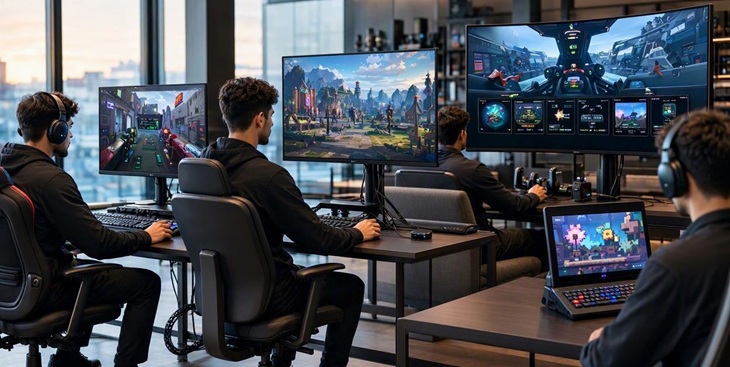
Best Gaming Monitor Size for Different Types of Games in 2026
Choosing a gaming monitor usually starts with questions about resolution or refresh rate. But screen size can also have a major effect on how comfortable and immersive your games feel.
A 24- or 25-inch monitor can work well for competitive shooters, while 27 inches is a popular all-round choice for PC gaming. Larger 32-inch displays can suit single-player and 4K gaming, while 34-inch and larger ultrawides are particularly appealing for racing and simulation games.
There is no single best gaming monitor size for everyone. The right choice depends on the games you play, your viewing distance, desk space, resolution and PC hardware.
24–25 Inches: Best for Competitive Gaming:
If your evenings are mostly spent playing Counter-Strike 2, Valorant, Fortnite or other competitive shooters, a 24- or 25-inch monitor still makes plenty of sense.
The advantage is less about the screen being smaller and more about keeping the entire display comfortably within your field of view.
Competitive players often sit fairly close to the display and want to process information quickly. A smaller screen lets you see the corners without constantly moving your eyes.
There is also a practical advantage: many 24- and 25-inch gaming monitors come with 1080p and very high refresh rates, including 240Hz and above. RTINGS notes that this size category has a particularly strong focus on competitive gaming.
Best for:
Competitive FPS
Esports
Fast multiplayer games
Lower-budget gaming PCs
Small desks
If your priority is winning rather than making your game world look enormous, don't dismiss a 24-inch display.
27 Inches: The Safe Choice for Most Gamers:
For someone who plays a bit of everything, For many PC gamers, 27-inch 1440p is a practical combination of screen size, image sharpness and performance requirements.
It gives you noticeably more screen area than a 24-inch display without becoming difficult to manage on a normal desk. You can also find 27-inch monitors across a huge range of specifications, from affordable 1080p screens to high-end 1440p and 4K OLED models.
For most PC gamers, 27-inch 1440p is an especially sensible combination.
It gives you a sharper image than 1080p while remaining easier to drive than 4K. And if you play shooters, RPGs, racing games and multiplayer titles, you aren't compromising too much in any direction.
RTINGS currently describes 27 inches as the most common gaming-monitor size and notes that the category includes everything from entry-level displays to high-refresh 4K models.
32 Inches: A Good Choice for Immersive Gaming:
Once you move to 32 inches, the gaming experience starts feeling noticeably different.
A 32-inch 16:9 monitor does not magically show more of the game than a 27-inch monitor with the same aspect ratio. What it does is make the image feel larger.
That can be great for single-player games, RPGs, open-world adventures and cinematic titles.
Games such as sprawling fantasy adventures or story-driven action games can benefit from the extra physical screen space. You sit back slightly, the image fills more of your view and the experience feels less like looking at a small computer screen.
RTINGS recommends a somewhat greater viewing distance for 32-inch monitors, around 28–42 inches, compared with roughly 24–36 inches for a 27-inch screen.
Choose 32 inches if you want:
More immersive single-player gaming
4K gaming
A larger image without going ultrawide
A monitor that works well for PC and console gaming
More comfortable viewing from a slightly greater distance
34 Inches and Above: Racing and Simulation Territory:
This is where things get interesting.
Because ultrawide monitors have a wider aspect ratio, they can provide a broader field of view in games that support ultrawide resolutions.
That extra width can be fantastic for racing games, flight simulators and driving games. Being able to see more of the track or surrounding environment can make the experience feel considerably more involving.
It can also work beautifully for cinematic RPGs and adventure games that support ultrawide resolutions.
The trade-off is straightforward: you need more desk space, and your graphics card has more pixels to render. RTINGS identifies 34-inch ultrawides as particularly suitable for immersive gaming.
What About 45, 49 Inches or Even Larger?
Huge gaming monitors are impressive, but they aren't automatically better.
A 45-inch or 49-inch display can be excellent for racing and simulation setups where immersion is the whole point. A 49-inch 32:9 monitor can essentially give you an extremely wide field of view.
But these screens demand a lot from your desk and your PC.
Before buying one, check:
Desk width and depth
Viewing distance
GPU performance
Game support for ultrawide resolutions
Whether the games you play actually benefit from the format
A huge screen can also become uncomfortable if you sit too close.
Quick Guide: Which Size Fits Your Games?
S. No | Games/Usage | Recommended Size | Why |
1. | Mixed PC gaming | 27" | Best balance of size and choice |
2. | Competitive FPS | 24–25" | Easier to keep the whole screen in view |
3. | 4K gaming | 32" | Good match for high resolution |
4. | RPG/open-world | 27–32" | Larger, more immersive image |
5. | Console gaming | 27–32" | Common 16:9 formats and 4K options |
6. | Racing / simulation | 34"+ ultrawide | Wider field of view |
7. | Small desk | 24–25" | Takes up less space |
Does Monitor Size Matter More Than Resolution?
Screen size and resolution are closely related when choosing a gaming monitor. A larger screen does not automatically produce a sharper image. For example, 27-inch 1440p can appear sharper than a larger display running at a lower resolution because pixel density also matters.
24" → 1080p is common
27" → 1440p is popular
32" → 4K can be attractive
So, What's the Best Gaming Monitor Size?
If you want a quick answer, I'd break it down like this:
24–25 inches — competitive gaming.
27 inches — the best all-round choice for most PC gamers.
32 inches — immersive single-player and 4K gaming.
34 inches and above — racing, simulation and ultrawide-focused gaming.
The best gaming monitor size isn't necessarily the one that looks most impressive on a desk. It is the size that matches your games, seating position and hardware.
If most of your time goes into competitive shooters, a smaller high-refresh display may actually give you a better experience. If you spend weekends exploring huge game worlds, stepping up to 32 inches could be worthwhile.
And if your dream gaming setup involves a racing wheel, cockpit and three-screen-wide view, then yes—bigger can finally be the better choice.