



Guest User
Login
#0 Rank0 Coins
Dashboard
 Notification
 Coins
CoinsGames Categories
 New Games
Connect with us



 sports
 action
 cricket
 arcade
 racing
 adventure
 girls
girls boys
boys hot
hot moresportsactioncricketarcaderacingadventuregirlsboyshotmore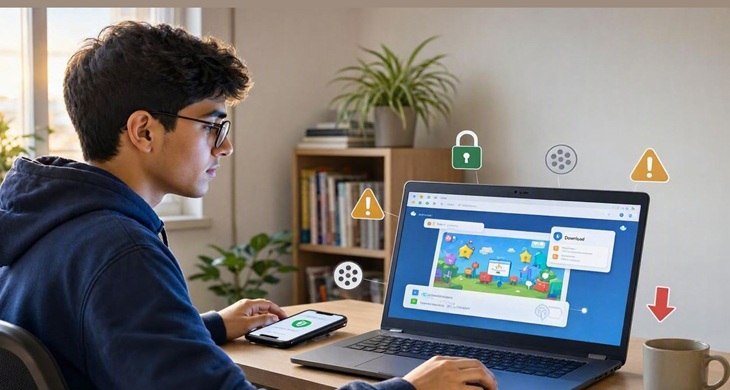
Browser games have made it possible for players to access their preferred game titles directly on their devices. Players don’t need to download a heavy game file or install another app to enjoy gaming during their spare time. It only requires a browser and players can open their favorite title and start having fun alone or with their friends.
Although browser gaming offers matchless fun and learning opportunities, several players always seek an answer to an important question like “Are browser games safe to play?
There is no single answer for every game or website. Many browser games are safe to play, but the website hosting the game matters. Ads, downloads, pop-ups and requests for personal information can sometimes create problems. A little caution can help avoid most of them.
Browser games from reliable websites are generally safe to play online. Modern games mostly use web technologies such as HTML5, JavaScript, Canvas and WebGL, so there is usually no need for an additional plugin.
Still, the technology behind a game does not decide whether the website itself is trustworthy.
Before playing, check a few simple things:
The website address looks correct.
The page uses HTTPS.
The game opens normally in the browser.
No strange file is required to start playing.
The website does not keep redirecting to other pages.
The game does not ask for information that it does not really need.
A browser game may be perfectly harmless, but the website around it can still create a poor experience.
Some gaming websites have several advertisements, while others have very few. Ads are not automatically a safety problem. The issue is more likely to arise when an advertisement looks like a game button or tries to convince visitors that their device has a problem.
For example, a message saying that a phone is infected with a virus should not be trusted simply because it appears while playing a game.
The same applies to unexpected download buttons.
If a game is already running in the browser, an unknown download should be treated with caution.
HTML5 has changed the way modern browser games are developed. Unlike older Flash games, HTML5 games do not normally need Flash Player or another separate plugin.
JavaScript can control the gameplay, Canvas can handle many 2D graphics, and WebGL can be used when a game needs more advanced graphics.
However, HTML5 should not be treated as a safety certificate.
A game can use HTML5 and still be hosted on an unreliable website. The website, its security practices and the content around the game still matter.
Free games often use advertisements to support the website. That is fairly common.
The problem is that some ads can be misleading. They may look like download buttons or show messages designed to make visitors click quickly.
It is better to close an ad when it starts asking for unusual actions. There is also no need to install a random browser extension or application just because an advertisement says it is required.
When in doubt, return to the game page rather than following the ad.
Some browser games need an account. This is common with multiplayer games, leaderboards and games that save progress.
Creating an account is not necessarily unsafe. The important part is knowing what information is being requested.
A basic game should not need sensitive personal information just to start playing.
Before signing up, check:
Whether an account is actually required
What information is being collected
Whether an email address is needed
How the information will be used
There is little reason to provide extra information when a game does not require it.
Many HTML5 games work on smartphones and tablets. Games with simple touch controls can be particularly easy to play on a mobile browser.
The same basic precautions apply here. Keep the browser updated and avoid downloading unknown files. Also, pay attention when a website asks for permission to send notifications or access other parts of the device.
A browser game that works normally through a mobile browser should not suddenly need an unrelated app to continue.
A few warning signs are worth remembering:
Repeated redirects to unrelated websites
Fake virus warnings
Unknown downloads
Too many pop-ups
Requests for unnecessary permissions
Suspicious login pages
Requests for sensitive personal information
None of these signs should be ignored just because the page contains a game.
Question 1. Which technology is commonly used for modern browser games?
A. HTML5
B. PDF
C. ZIP
D. BIOS
Answer A. HTML5
Question 2. Which is a warning sign when playing a browser game?
A. Clear instructions
B. Unknown download request
C. Normal game controls
D. A game loading on the page
Answer 2. Unknown download request
Question 3. Which is a sensible approach to an online gaming account?
A. Use a unique password
B. Share the password with friends
C. Use the same password everywhere
D. Enter unnecessary personal details
Answer 3. Use a unique password
Browser games are not automatically unsafe simply because they are played online. Many are straightforward games that run directly through modern browsers using HTML5 and other web technologies.
The bigger concern is the website providing the game. Suspicious advertisements, unwanted downloads, strange redirects and unnecessary requests for information are good reasons to leave a page.
For anyone looking to play online games, choosing a reliable website and following basic browsing habits can make the experience safer and simpler.

Atmegame.com is a completely new platform for the online games lovers.The best part is that all games available on our website are free and can be enjoyable on multiple devices, including desktop, mobile phones, tablets, and iPhones or iPads.