Introduction
3D Moto Simulator 2 is a bike game where you choose from different motorbikes, including powerful police bikes, trials bikes or cross bikes and then enter the map. Choose the available bike or level, then balance speed and control as you enter the track. Play across 3 maps. Perform stunt-based actions or routes when required by the game.
How to Play 3D Moto Simulator 2 Game
Choose the available bike or level, then balance speed and control as you enter the track.
Balance speed and control while handling turns, ramps, jumps, traffic, or obstacles on the track.
Keep the bike balanced on difficult sections and adjust speed before jumps, turns, or narrow platforms.
Complete the current bike objective and use each successful attempt to improve your timing, accuracy, or overall result.
Controls
Keyboard: This PC game also comes with easy-to-understand controls like 123 to change bike, space bar to use handbrake, WASD or arrow keys to drive, C to change camera, Shift to use nitro, R to reset game, G to reset bike and E to use police lights.
Main Features of 3D Moto Simulator 2 Game
Bike Riding: Control a bike through tracks, routes, or stunt challenges.
Balance and Speed: Manage the bike’s speed and stability through difficult sections.
Maps: Play across 3 maps.
3D Presentation: Play in a three-dimensional game environment.
Stunt Challenges: Perform stunt-based actions or routes when required by the game.
Map Tracking: Use the on-screen map when it helps track objectives or locations.
Keyboard Controls: This PC game also comes with easy-to-understand controls like 123 to change bike, space bar to use handbrake, WASD or arrow keys to drive, C to change camera, Shift to use nitro, R to reset game, G to reset bike and E to use police lights.
Desktop Play: Supports desktop play using the controls described by the game.
Handbrake: Use the handbrake when tighter vehicle control is needed.
Skill Challenge: Use timing, accuracy, strategy, or quick reactions when the challenge requires them.




 Notification
 Coins
Coins New Games


 sports
 action
 cricket
 arcade
 racing
 adventure
 girls
girls boys
boys hot
hot more
more 10
10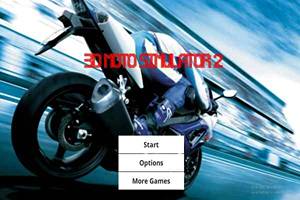


 96%
96% 4%
4% Favourite
 Share
Share Full Screen
 Report