



Guest User
Login
#0 Rank0 Coins
Dashboard
 Notification
 Coins
Games Categories
 New Games
Connect with us



 sports
 action
 cricket
 arcade
 racing
 adventure
 girls
 boys
 hot
 moresportsactioncricketarcaderacingadventuregirlsboyshotmore
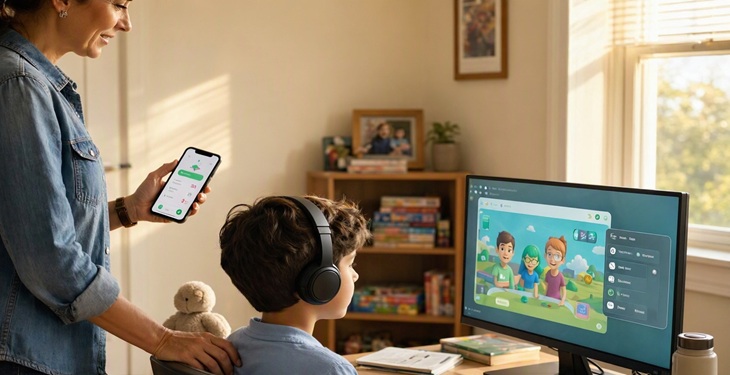
Online games have become a popular part of childhood. Whether children enjoy puzzle games, racing games, adventure games or multiplayer games, gaming is now one of the easiest ways to spend free time. It helps children relax, play with friends and explore new challenges.
But online games also connect children to the internet, where they may come across strangers, unwanted messages, fake rewards or content that is not suitable for their age.
Parents should check the game's age rating before allowing a child to play. Ratings and content descriptions can help identify games that contain violence, strong language or other material that may not be appropriate for younger players.
The good news is that parents do not need to stop children from playing online games. A few simple safety habits can make online gaming much safer without taking away the fun.
Many parents install a game after checking its name or reading a short description. That is a good start, but spending a few extra minutes learning how the game works is even better.
Before your child starts playing, check:
Is the game suitable for your child's age?
Does it allow voice or text chat?
Can strangers send friend requests?
Does it include in-game purchases?
Can players share photos or links?
Knowing these features helps parents decide which settings need attention.
Many gaming platforms and devices offer parental controls that help parents manage how children use online games.
Depending on the platform, these settings may allow parents to:
· Restrict communication with other players.
· Limit who can send friend requests.
· Control access to age-inappropriate content.
· Set spending limits or require purchase approval.
· Manage screen time.
· Review privacy and account settings.
Parents should explore these options before allowing younger children to use online multiplayer features. The available controls vary between games, consoles and devices, so it is worth checking the settings of each platform separately.
Parental controls are useful, but they cannot prevent every online risk. Children should also understand how to recognise suspicious behaviour and ask for help.
Children often enjoy making new friends while gaming, but they should know that not every online player is a real friend.
Explain that personal information should stay private, even if someone seems friendly.
Children should never share:
Full name
Home address
School name
Phone number
Passwords
Verification codes
Family details
Personal photos
A simple rule is easy for younger children to remember:
If you wouldn't share it with a stranger outside, don't share it inside a game.
Children may play with the same username for weeks and start believing they know that person.
This is a good time to explain the difference between playing together and knowing someone.
Tell children that they should be careful if another player:
Asks personal questions.
Wants to continue chatting outside the game.
Requests photos or videos.
Asks them to keep a conversation secret.
Offers gifts or rewards for sharing information.
Children should know they can leave the conversation immediately.
Many online gaming scams are designed to attract children.
Messages may promise:
Free coins
Free Robux or virtual currency
Rare skins
Premium accounts
Special rewards
The message usually asks the child to click a link or enter account details.
Teach children one important habit: If a reward asks for a password, verification code or personal details, it is probably not a genuine reward.
When unsure, they should ask a parent first instead of clicking the link.
Children may not understand that virtual items cost real money.
A costume worth 200 game coins or a bundle inside a game still uses actual payment methods.
Parents can make purchases safer by:
Adding a purchase PIN.
Turning off one-click payments.
Not saving bank or card details on children's accounts.
Setting spending limits if the platform allows it.
It is also helpful to explain the difference between game currency and real money.
Children should know that blocking and reporting another player is not being rude. It is a safety feature.
Encourage them to report players who:
Use abusive language.
Send inappropriate messages.
Keep contacting them after being ignored.
Ask for personal information.
Share suspicious links.
Most games include easy options to block or report an account.
More importantly, children should always feel comfortable telling a parent what happened.
Online safety is not only about strangers. It also includes healthy gaming habits.
Instead of making random rules, create a routine together.
Play Together Once in a While:
Parents do not need to become gamers.
Playing one or two rounds with your child can tell you a lot about the game. You will see:
Who they play with.
Whether chat is active.
What advertisements appear.
How purchases are promoted.
What type of content appears during gameplay.
It also creates an opportunity to discuss online behaviour naturally instead of turning safety into a lecture.
Before your child starts a new online game, quickly check these points:
Choose age-appropriate games.
Review privacy settings.
Limit voice or text chat if needed.
Keep personal information private.
Turn on purchase protection.
Teach children how to block and report players.
Discuss fake rewards and suspicious links.
Keep gaming balanced with school, sleep and outdoor activities.
A five-minute safety check can prevent many common online gaming problems.
Parents can review privacy settings, restrict communication, monitor purchases and teach children not to share personal information with strangers.
Younger children should avoid chatting privately with unknown players. Older children should understand online safety rules before using chat features.
Use purchase passwords or PINs, disable saved payment methods and regularly review purchase history.
They should stop responding, block or report the player and immediately tell a trusted adult.
Atmegame.com is a completely new platform for the online games lovers.The best part is that all games available on our website are free and can be enjoyable on multiple devices, including desktop, mobile phones, tablets, and iPhones or iPads.
